Welcome, Guest. Please login or register.

Author Topic: RNOEffects 2.0 released for all Amiga compatibles  (Read 4213 times)

Description:

0 Members and 1 Guest are viewing this topic.

Offline pVCTopic starter

RNOEffects 2.0 released for all Amiga compatibles
« on: January 22, 2024, 01:55:46 PM »
RNOEffects is an image processing program focused on alpha channel based effects and batch conversion. Highlights of the new version are the Pixel Editor tool and saving images in the palette mode.
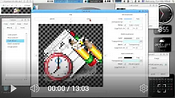


Changelog:
- Added the "Pixel editor" tool with configurable pixel drawing options for left, middle, and right mouse buttons
- Added the "Color picker" tool to show colour information under the mouse pointer and to pick and store multiple colour values temporarily
- Added the "Area selector" tool which can be used to apply certain effects on a limited area of an image
- Added the "Toolbox" tool to reduce pull-down menu use
- Added support for saving images in the palette mode (1-8 bits), optionally with 16 pre-defined palettes including the MagicWB palette
- Palettes can be saved in IFF ILBM, RGB32, LoadRGB4, and LoadRGB32 formats
- Palette images can be saved as chunky data
- Chunky image data and separate palettes can be saved as a C source code
- Added an option to use an opacity map to apply an effect partially on an image (works with Blur, Contrast, Draw/Brush, Gamma, Modulate, Monochrome, and Tint effects)
- Added "Chroma key" and "Luma key" effects to make colour ranges transparent
- Batch converted images can be saved as a video
- Added MagicWB support for the icon saving
- Added information about the program state in the window title
- Added Undo button on effects' windows
- Function key shortcuts can be used to save images in several formats
- Added an option to swap the main image with the buffer image
- The Opacity map effect can use the buffer image as an opacity map
- Added an option to invert the Opacity map effect
- Added opacity map examples in the OpacityMaps directory
- Renamed the "Reduce alpha" effect to "Alter alpha" and added an option to remove the whole alpha channel from an image
- Background images can be centered in the Background effect
- Added an option to clear the current image
- Undo buffer wasn't initialised when loading an image at startup
- Fixed colour picking with scaled images
- Fixed Charcoal and Edge effects for images with transparency
- Better window resizing when loading images
- Skip arrow key operations if a command key is pressed simultaneously so as not to affect mouse pointer control via the keyboard
- Arranged effects in an ordered format in the menu - into categories
- Included JPEG2000, PCX, and TIFF plugins
- Added support for saving images in JPEG2000 and TIFF formats
- Select specific image/state to load of icon with multiple images
- Added a setting to load icon properties and use them in icon saving options
- Files can be drag'n'dropped into a batch conversion file list
- Tool windows open at startup if they were open when settings saved
- Other minor fixes

« Last Edit: January 22, 2024, 02:06:04 PM by pVC »
Daily MorphOS user and Amiga active.
 
The following users thanked this post: krize

Offline pVCTopic starter

Re: RNOEffects 2.1 released for all Amiga compatibles
« Reply #1 on: January 17, 2026, 10:08:02 AM »
RNOEffects 2.1 released:

- Added a new view mode to display images at their actual resolution in a scrollable window area
- Graphical displays are hidden during window resizing, which improves speed and flexibility on systems that resize windows with full contents
- Added the "Palette editor" tool for modifying, setting, or removing palettes
- Whole directories can be added into the batch conversion list with the Add button or just drag'n'drop from OS windows
- Batch resizing can keep the aspect ratio of an original image
- Added an option to disable redrawing during a batch conversion to speed up the process on lower end setups
- Added a progress gauge in the batch conversion window
- Zoom level can be changed in the Pixel Editor
- Pixels can't be drawn "out-of-bounds" in the Pixel Editor window
- Palette images are converted to RGB images only when needed or requested
- Added a setting to reload saved images back into the editor to reflect changes caused by any image conversion process during saving
- Added an option to convert RGB images to palette images with Quantize effect
- Window title indicates if an image is an (A)RGB or Palette image
- Almost all effects work with palette images now, though some options may not work exactly as with RGB images
- The Clear option detects the image colour format
- The Color Picker tool shows the palette pen alongside the RGB values
- Brush and text drawing can be locked to borders/corners/centre, which makes it easier to add watermarks, etc. to varying image dimensions
- Setting co-ordinates for the Draw effect by mouse over the image can be constrained vertically or horizontally by pressing Shift or Ctrl keys
- The "j" key swaps main and buffer images (as used in DPaint and PPaint)
- Added presets for Amiga WB 1.x, 2.x, Rebel, and PeterK/IconLib palettes
- Added presets for resolutions on Resize and Crop windows, the last applied resolution is shown as the first item in the preset list
- Width and height values can be swapped in Resize and Crop windows
- A cropped image can be copied to the internal buffer instead of applying the effect to the current image
- Buffer changes are refreshed on effects that use the buffer image
- Color Picker and Area Selector tools broke some effects like elliptical crop
- Transparency level can be set on the Background effect
- Improved error handling
- Other minor fixes and changes

Daily MorphOS user and Amiga active.