Wilse,
My own method is to put all the data I want written to CD into a drawer called Container. The plan being that the contents of the drawer Container are written to the CD.
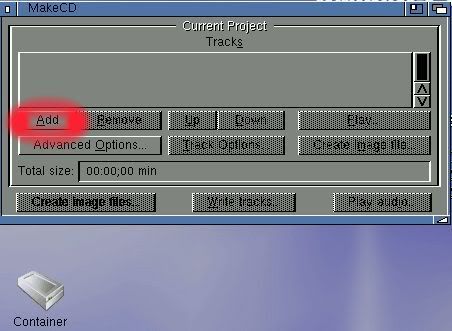
Firstly I launch MakeCD and click on 'Add'
Then I click on the arrow circled red in the screengrab below.
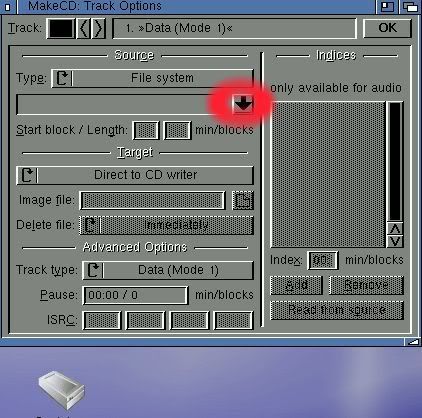
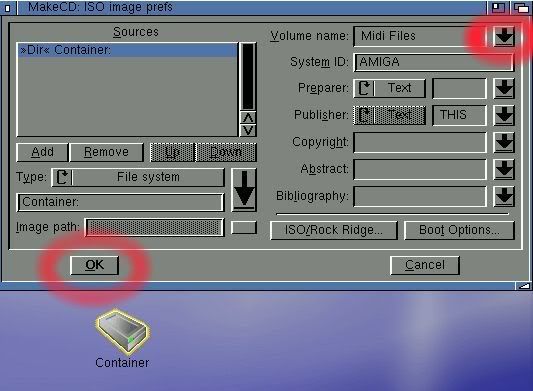
Then I click on the arrow at the top right of this screengrab to give the CD a name ("Midi Files" in this example)
Next I drag and drop the drawer Container into the top left window. ("Dir Container:" highlighted in blue)
Now I click on 'OK' at the bottom left of the screen.
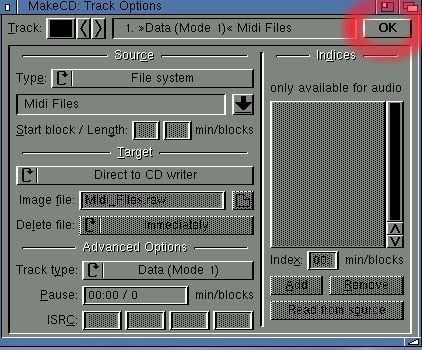
I click on 'OK' again at the top right of the next screen.
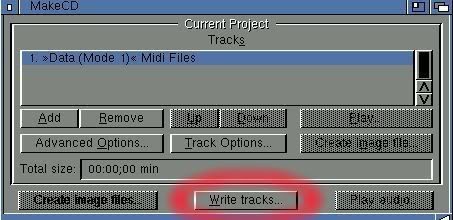
Next I click on 'Write tracks.....'
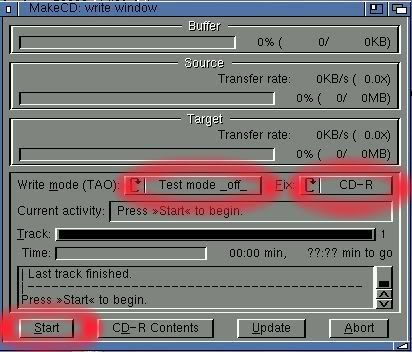
Now I change 'Test mode _on_' to 'Test mode _off_'
change 'Session' to 'CD-R' and click on 'Start'.
Finally I click on 'Update + OK'
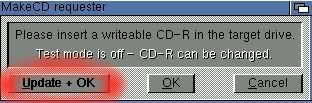
After exiting MakeCD it appears the newly written CD-R shows up as "Uninitialised" until it has been ejected and re-inserted.
Well, this has sure kept me out of mischief for a while :-D
:pint:

