Orgue wrote:
Erm... okay, so there it is, on my laptop:
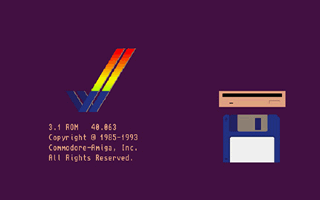
What's next? 
Looks a bit like a wallpaper I did a few weeks back :-D
You need a bootable disk, either an emulated floppy or hard drive. Making an emulated hard drive isnt too difficult and it can be made bootable, but then you have to copy/install your workbench on it, else you just get dropped into an amigados shell with not a lot you can do. That can be tricky depending on which version you have.
Basically you need to get your amigaos system files onto your laptop.
When I first set up OS3.1 on winuae back in the day, I basically did the following
1) archived the conents of each amigaos floppy disk in the set to a .lha file on the amiga and then put these onto 720k disks. Lha itself was also added to one of the disks.
2) made a 10Mb hardfile image, "DH0" in winuae and marked it as bootable.
3) copied all the archives I made, plus lha to a folder on the pc and added that folder as a second hard drive "DH1" to the emulation.
5) started the emulation and was dropped into a virtually useless dos shell (since the newly created virtual harddisk is empty). I then typed "cd dh1:" to enter the place I put the archived amigaos disks.
6) I extracted workbench.lha the DH0: with the lha command (lha x workbench.lha dh0:)
What I now had was a barelyy working workbench 3.1 installation, as it was not "installed" properly using the install disk. It naturally needed some modification. Specifically many tools etc. were missing.
7) restarted the emulation, let it boot into its workbench and then extracted the other archives and put the prefs, tools, fonts etc. in their usual place.

Lastly I changed the s:startup-sequence file (which was designed for floppy) for the hard drive version from the install archive.
After this point (and making sure it all basically matched a fresh HD installation on my real amiga), I went on to put the picasso96 and other stuff on :-)

